
Update the Vault Report
Certain vault actions require the Vault Report to be up-to-date. The Vault Report reflects the latest state of the vault, including balances, liabilities, validator positions, and operational eligibility.
When an Update Is Required
If the report is outdated, the interface will display a “Report not fresh” message.
In this state, some operations may be temporarily restricted until the report is refreshed.
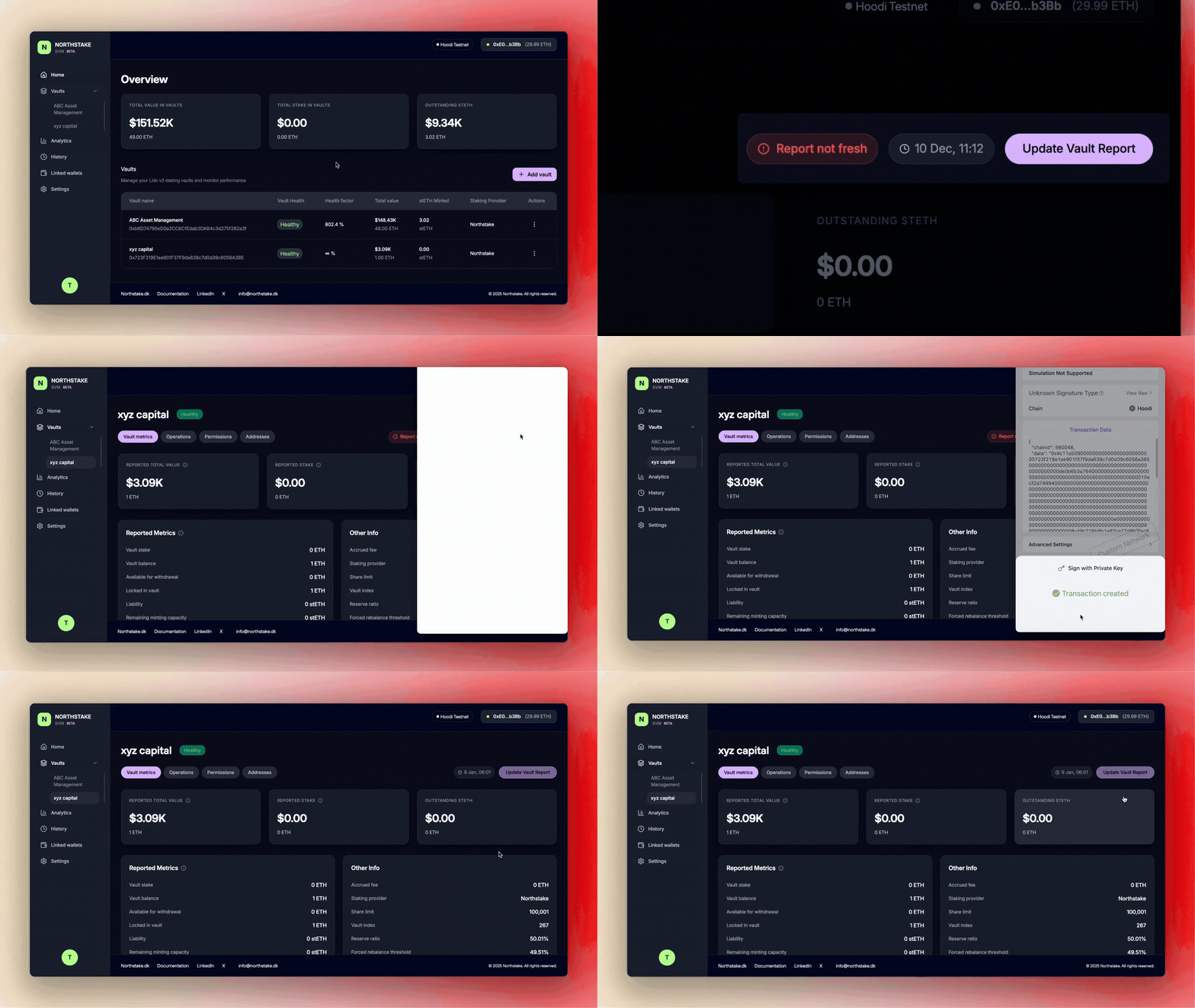
Steps to Update the Vault Report
-
Locate the Update Prompt
When the report is stale, an Update Vault Report button will appear in the vault interface at the right. -
Trigger the Update
Click Update Vault Report. -
Sign the Transaction
Sign the on-chain transaction in your connected wallet to confirm the report update.
Completion
Once the transaction is confirmed, the Vault Report will be refreshed.
All vault operations will again be available, provided no other prerequisites are outstanding.
Updated 9 months ago